Settings
Configure advanced study options, including templates, encryption, and study deletion.
The Settings tab in the study edit page allows researchers to configure advanced study options, including template creation, encryption settings, and study deletion. This section provides a comprehensive guide to managing these settings, ensuring your study data remains secure and you have full control over your study’s lifecycle.
These settings are critical for maintaining data privacy, reusing study configurations, and managing study resources effectively. The SMAAT platform prioritizes data security and flexibility, offering tools to create reusable templates, optional encryption layers, and secure study deletion processes.
Create a Study Template
Researchers can save a study as a template to reuse its configuration for future studies. Templates include surveys, sensor configurations (e.g., GPS, accelerometer), and participant management settings (e.g., enrollment rules, notification schedules).
To save a study as a template:
- Navigate to the Settings tab of your study.
- Locate the “Create Template” section.
- Enter a descriptive Template Title (e.g., “Daily Mood Survey Template”).
- Click the “Create Template” button to save the template.
Saved templates can be accessed from the Study Builder to create new studies with the same configuration, streamlining setup for recurring or similar studies.
Encryption Settings
By default, all study data is secured on the server, accessible only to the study owner. For an additional layer of security, you can enable public/private key encryption to secure participant data. The public key is shared with participants for data encryption, while the private key is for your use only to decrypt the data.
To enable this feature, click the “Generate the Keys” button. The system will generate and display a private key. Important: This private key is shown only once. You must download it as a file or email it to your registered email address immediately, as it will not be stored or displayed again. Without the private key, you cannot decrypt participant data.
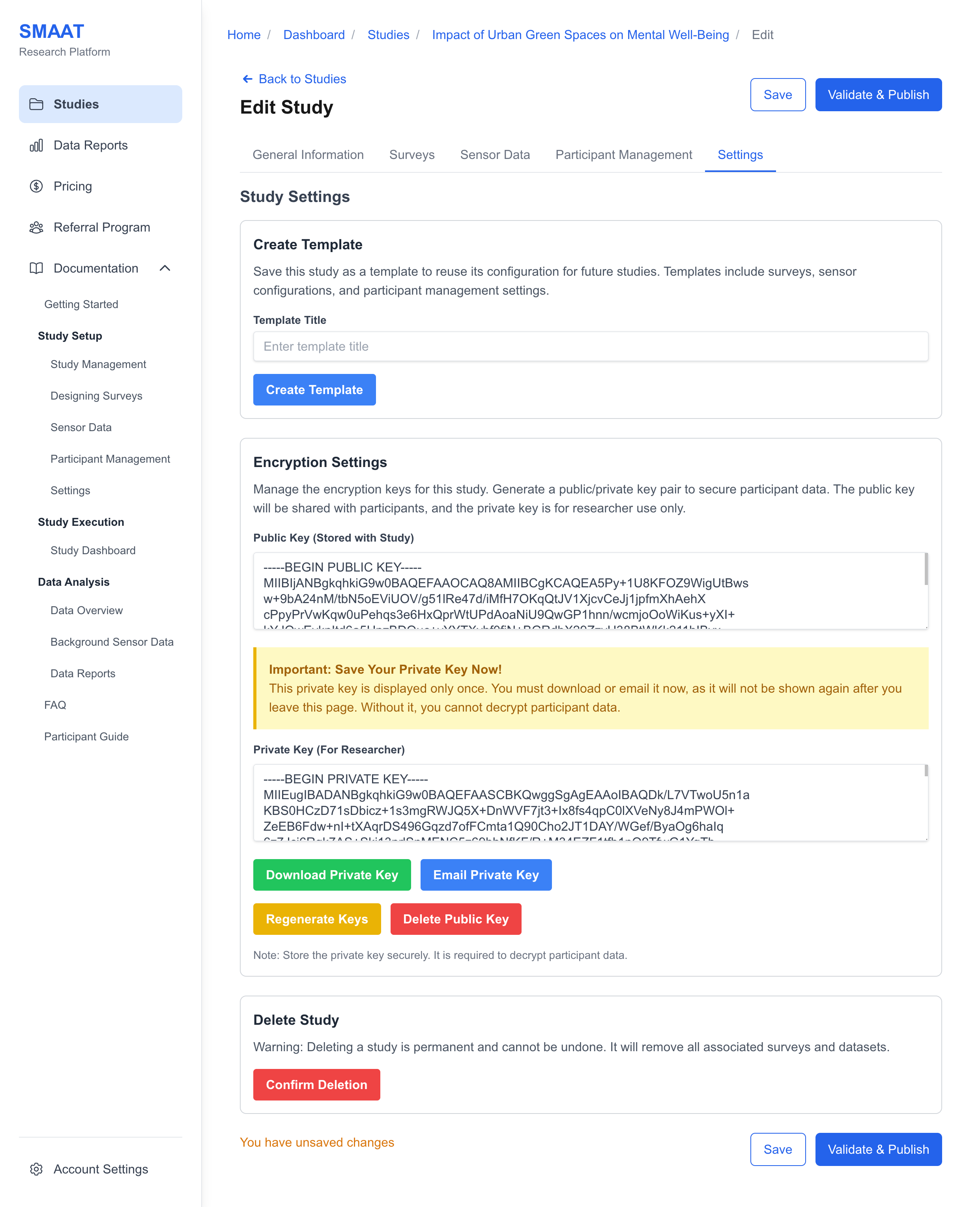
You can also delete the public key to deactivate this additional encryption layer. This action will not affect data already encrypted but will prevent new data from being encrypted with the public key.
Delete the Study
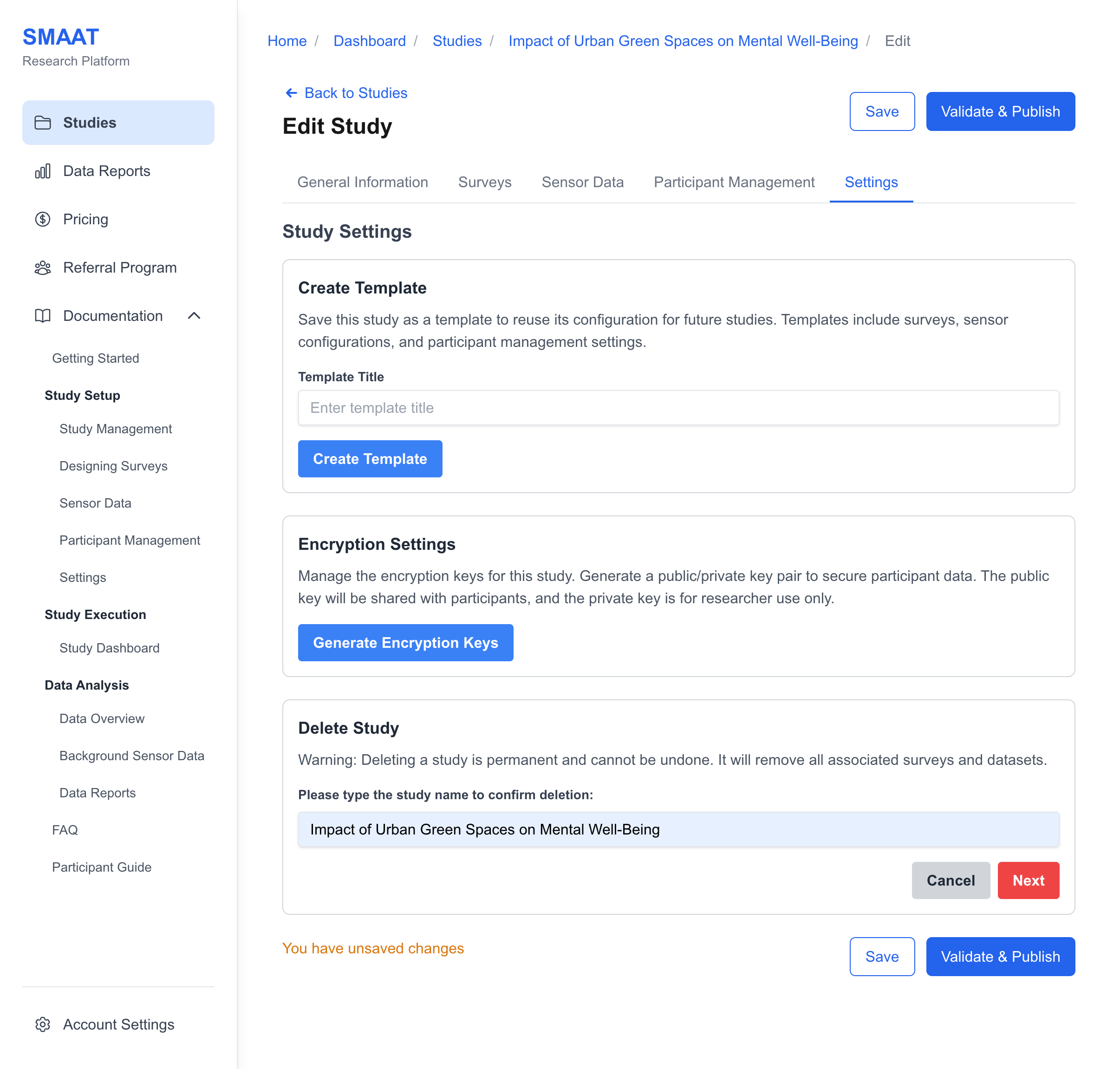
The study deletion feature allows you to permanently remove a study and all associated data, including surveys and datasets. To prevent accidental deletion, you must confirm this action before it is executed.
Next Steps
With settings configured, explore the following sections to continue building and managing your research on the SMAAT platform: