Background Sensor Data
View, filter, decrypt, and download passive sensor data collected from participants’ smartphones.
The Background Sensor Data page, accessible from the study dashboard, provides a centralized interface for viewing and managing sensor data collected from participants’ smartphones. This section enables researchers to filter, decrypt, and download sensor data for detailed analysis, supporting studies that leverage passive data collection.
The SMAAT platform supports a variety of sensors such as GPS, accelerometer, and gyroscope, and offers flexible tools to explore and export sensor data, ensuring compatibility with diverse research objectives and data security requirements.
Accessing Background Sensor Data
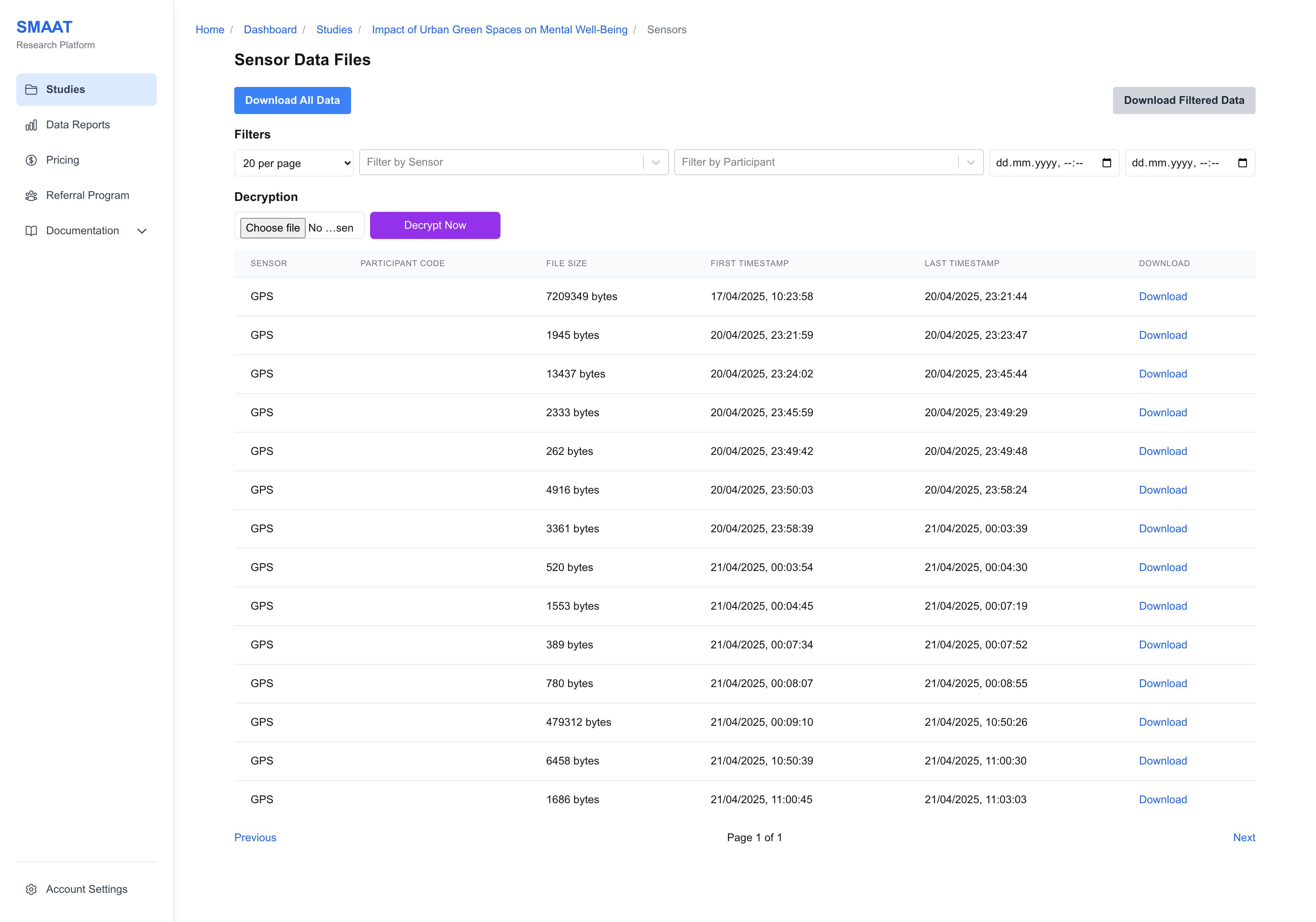
From the study dashboard, click “View Details” in the Sensor Data Overview area to access the Background Sensor Data page. This page displays all collected sensor data, with options to filter by participant, sensor type, or time range.
If the data is encrypted, upload your private key and click “Decrypt Now” to access the data. You can download all or filtered data as a CSV file for further analysis.
Filtering Sensor Data
Use the filter options to narrow down sensor data by:
- Participant: Select data by participant code or stable participant ID.
- Sensor: Choose specific sensors (e.g., GPS, accelerometer, light sensor).
- Time Range: Specify a date range to focus on data collected during a particular period.
Next Steps
With Background Sensor Data configured, explore the following sections to continue analyzing and managing your research on the SMAAT platform: